Key Takeaways
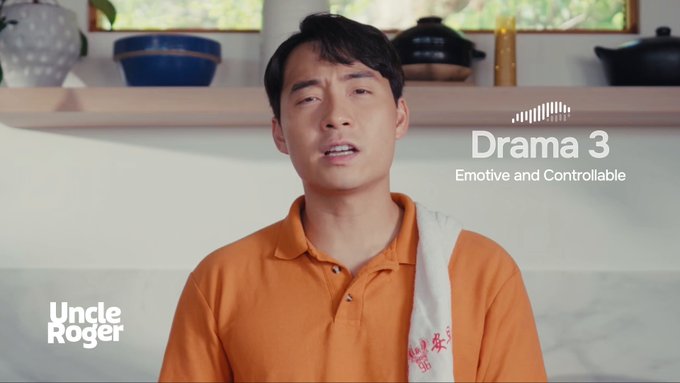
- Fish Audio Drama 3 is an open-weight text-to-speech model announced on October 13, 2026, and Fish Audio describes it as its most emotive and controllable TTS system yet.
- Its headline feature is word-level direction: you describe in plain language how a single word should sound, change its tone, or shift the voice partway through a sentence.
- There are two ways in: the hosted product and API on the official site, fish.audio, or the open weights if you want to run and inspect the model yourself.
- The announcement lists no parameter count, supported languages or license name, so verify those details on the official site before building anything commercial on it.
Quick Facts
| Type | Open-weight text-to-speech model with hosted API |
|---|---|
| Devices | Web browser for hosted use; own GPU for open weights |
| Price | Paid plans; limited free-month promotion at launch |
| Languages | Not listed in the announcement; check the model card |
| Highlight | Word-level tone and voice control in plain language |
| Learning curve | Low for the hosted app; moderate for self-hosting |
| Category | AI & Models |
| Creator | Fish Audio |
| Official site | fish.audio ↗ |
| Heat | 🔥 13M Heat |
| Last updated |
What Fish Audio Drama 3 Actually Is
Fish Audio Drama 3 is the newest text-to-speech model from Fish Audio, announced on October 13, 2026. As with any text-to-speech system, it converts written text into spoken audio, but Fish Audio is positioning it as the most emotive and controllable model of its kind. The company announced it alongside a 52 million dollar seed round and a user base of more than 15 million people, yet still called Drama 3 the thing it is most proud of yet. It ships as open weights, with a hosted version on the official site, fish.audio.
The reason the release landed as a recent trending topic is the level of control it promises. Most text-to-speech tools work at the level of a whole line: you pick a voice, maybe a broad mood, and accept whatever delivery comes back. Drama 3 goes down to the individual word. According to Fish Audio, you can decide how even a single word should sound, change its tone, and shift the voice partway through a sentence. For narration, that is the difference between a flat read and a performance.
Two things make the release notable for developers. First, the weights are open, so teams can run or inspect the model themselves rather than only renting it through a service. Second, Fish Audio also offers a hosted product and an API, which means you can try the model without owning any hardware. The announcement did not list a parameter count, supported languages or a license name, so treat those as open questions and read the model card before you build anything commercial on top of it.
- Open weights plus a hosted option
You can download the model to run locally or use Fish Audio's hosted product and API. The announcement does not name the license, so check the model card first.
- Built for emotion
Fish Audio calls Drama 3 its most emotive and controllable TTS model and points to the top spot among open-weight TTS systems on the Artificial Analysis leaderboard.
- Backed by a funded team
The same announcement confirmed a 52 million dollar seed round and more than 15 million users, which suggests the hosted service will keep being maintained and updated.
How Word-Level Direction Changes a Read
Traditional text-to-speech pipelines give you a small set of dials: a voice preset, a speaking rate, sometimes a global emotion tag. Drama 3 changes the unit of control from the line to the word. In practice that means you can write a sentence and then describe, in ordinary language, how one specific word inside it should land, whether softer, sharper, hesitant or triumphant, while the rest of the sentence keeps its own delivery.
The directions are written in natural language rather than special markup or phonetic symbols. That matters because it removes the syntax learning curve: you describe the performance the way you would describe it to an actor. Fish Audio also says you can change the tone of a word and shift the voice mid-sentence, which opens up dialogue where one speaker's line turns into another's, or narration that slips into a character's inner voice without a hard cut.
Where this pays off is timing-sensitive audio. Audiobooks, game dialogue, comic panels and short-form narration all depend on emphasis landing on exactly the right syllable. A single misplaced stress can flatten a punchline or make a threat sound like a question. Word-level direction lets an editor fix that one moment instead of regenerating the whole take or splicing in a different voice, which is the usual workaround in conventional TTS workflows.
- Describe, do not tag
Instructions are plain language, so you write something like drop this word to a whisper instead of memorizing markup. Expect to iterate a couple of times per line.
- Mid-sentence voice shifts
The model can change voice partway through a sentence, which suits quoted dialogue inside narration or characters who interrupt themselves.
- Keep takes short
Direct one sentence or one short paragraph at a time. Short takes make it obvious which instruction caused which change while you are tuning delivery.
Directing a Performance: A Practical Workflow
Start with clean text. Punctuation, paragraph breaks and speaker labels all influence delivery, so fix typos and split long run-on sentences before you generate anything. Then pick a base voice and generate the passage once with no extra direction. That first pass is your reference: it shows where the model's default emphasis already works and where it fights the meaning of the sentence. Only then add word-level notes to the two or three spots that genuinely need them.
Change one thing at a time. If you rewrite the whole line and add five directions at once, you cannot tell which instruction produced the improvement. Adjust a single word, listen, keep or revert, then move on. Keep a written list of the phrasings that worked for your chosen voice, because the same wording tends to behave consistently across a project. When a take is close but not right, a small tweak usually beats a full rewrite.
For production work, plan for a quality pass. Generate a full draft, mark the lines that need attention, and reserve your detailed direction for those. If you are self-hosting the open weights, budget time for hardware setup and for reading the model card, since the announcement does not specify a parameter count or a license. If you use the hosted API, check the current rate limits and commercial terms on the official site before you commit a project to it.
- Fix the text first
Punctuation and paragraph breaks shape delivery, so proofread before generating. Clean input reduces how much word-level direction you actually need.
- One change per take
Adjust a single word or instruction, then listen. Changing several things at once makes it impossible to learn what the model responds to.
- Save your phrasing
Keep a note of the instructions that worked for each voice. Reusing proven wording is faster than experimenting from scratch on every line.
- Check terms before shipping
The announcement does not name a license, so confirm commercial use, attribution and API limits on the official site before a paid project depends on it.
How Drama 3 Compares and Where It Still Falls Short
Compared with mainstream commercial text-to-speech services, Drama 3's differentiator is granularity plus openness. Most hosted services give you a fixed voice library and broad style presets, and they keep the model behind an API. Drama 3 offers word-level direction and open weights, which appeals to studios that want to run inference on their own machines or fine-tune later. Fish Audio also points to a top placement among open-weight TTS models on the Artificial Analysis leaderboard, though leaderboard positions shift and depend heavily on the test set.
The trade-offs are real. Open weights mean you own the deployment problem: hardware, latency, updates and safety filtering all become your responsibility. Hosted use is easier but ties you to Fish Audio's pricing and limits, which the announcement does not spell out. There is also no published parameter count, language list or license name in the release notes, so anyone planning multilingual or commercial work should verify those details directly rather than assume them.
Who is it for? Voice directors, audiobook producers, game audio teams, indie animators and developers building conversational products where emotional accuracy matters more than raw speed. If you only need a neutral read of a paragraph, a simpler tool will do and cost less effort. If your project lives or dies on one word landing correctly, word-level control is worth the extra iteration. Try the hosted version first, then decide whether self-hosting the weights makes sense for your volume.
- Versus hosted commercial TTS
Large hosted services usually win on voice libraries and turnkey polish; Drama 3 wins on word-level control and the option to run the model yourself.
- Versus other open-weight TTS
Fish Audio cites a top open-weight placement on Artificial Analysis. Rankings change, so test on your own scripts and language before switching.
- Known gaps
No parameter count, language list or license name was published in the announcement. Confirm all three on the official site before commercial use.
Step-by-Step Guide
Open the official page
Go to the official site, fish.audio, and find the Drama 3 page. You can try the hosted product in a browser without installing anything, which is the fastest way to judge whether word-level control suits your material. Check that page for current plan details and usage limits.
Generate a plain first pass
Paste a short passage, pick a voice, and generate it with no extra direction. Listen for where the default emphasis lands. This baseline shows you which words already sound right and which ones need a note, so you do not over-direct a line that was fine.
Add word-level direction
Now describe how a single word should sound, in ordinary language, and regenerate. Change one instruction at a time so you can hear the effect. If the delivery drifts, shorten the passage or simplify the wording of your direction. Repeat until the emphasis matches your intent.
Move to the API or the open weights
When the sound is right, decide how to scale it. The hosted API suits apps and batch jobs; the open weights suit teams that want local inference or inspection. Read the model card for license, hardware and language details before committing a production pipeline.
Validate before you ship
Run a full script through your chosen setup and check consistency across voices, sentence lengths and any languages you need. Confirm commercial terms, rate limits and attribution requirements on the official site. Keep a backup voice option in case a line refuses to behave.
Frequently Asked Questions
What is Fish Audio Drama 3?
It is an open-weight text-to-speech model from Fish Audio, announced on October 13, 2026. It converts written text into spoken audio and adds word-level control: you can describe how a single word should sound, change its tone, and shift the voice partway through a sentence. A hosted version and an API are available on the official site.
Is Drama 3 free to use?
The announcement does not publish a price list, and it mentions a limited free-month promotion at launch rather than a permanent free tier. The open weights can be run on your own hardware at your own cost. Check the official site, fish.audio, for current plan pricing, API rates and commercial-use conditions.
Can I run Drama 3 on my own computer?
Yes, in principle, because the weights are open. The announcement does not state a parameter count, minimum hardware or a license name, so the practical requirements are unknown until you read the model card. Expect to need a capable GPU for responsive generation, and verify the license before commercial deployment.
Which languages does Drama 3 support?
The release notes do not list supported languages, so treat any specific claim as unconfirmed. Fish Audio's broader service has served a global audience, but that does not guarantee the same coverage in this model. Test your target language with a short passage and confirm the official documentation before planning a multilingual project.
How is it different from ordinary text-to-speech?
Conventional text-to-speech controls a whole line: you choose a voice and maybe a general mood. Drama 3 lets you direct individual words in plain language and change voice mid-sentence, which is closer to directing an actor than to picking a preset. That extra control matters most in audiobooks, game dialogue and comic timing.