The short version
- The recently trending one-person-company clip is the Swarm Rebuild Chrome extension, not a fleet of AI workers.
- Click the icon or press Alt+Shift+S and a local cursor swarm wipes the page, then rebuilds it.
- Nil publishes the extension; the idea traces to Joel Califa's Swarm, with open source under Dhvanil Patel.
A one-person company, or a browser trick
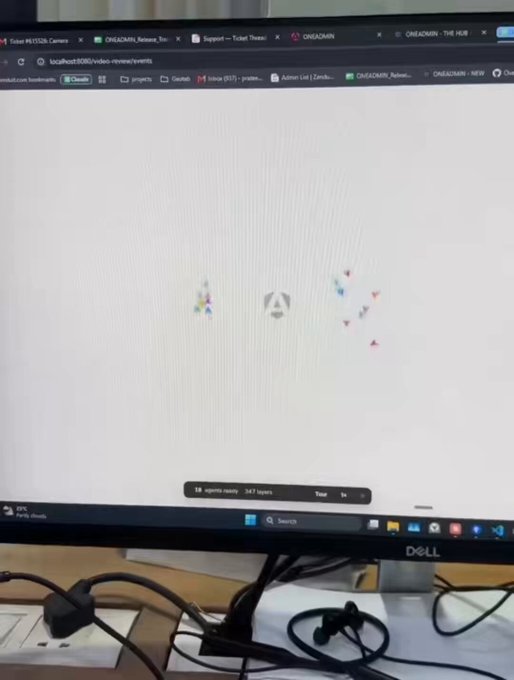
this how we run one-person company with 100s ai agents
Around November 4, 2026, el.cine put a blunt claim in circulation: this is how a one-person company runs with hundreds of AI agents. The picture that travels with that line shows a blank page filling back in under a crowd of cursors, as if a remote staff were shipping the site in real time.
The product behind the picture is Swarm Rebuild, listed on chromewebstore.google.com. Its store text is plainer than the company pitch: wipe any page to a blank canvas and watch a swarm of multiplayer cursors rebuild it, live. The cursors are the show. They are not a back office of models taking orders.
How the swarm actually rebuilds a page
The listing tells the swarm to call in more agents the faster you scroll. That single word does a lot of the clip's work. Pair it with el.cine's line about a one-person company and the cursors read as staff, even though the animation never leaves the tab.
Version 1.1.0, updated November 5, 2026, is the build on the store. It sits in Entertainment, runs in English, weighs 51.8KiB, and is offered by Nil. The listing shows a 5.0 score from 3 ratings and 521 users.
- Start it
Click the toolbar icon or press Alt+Shift+S on any page. The page fades to nothing.
- Feed the swarm
Scroll and the swarm chases you, bringing in more cursors the faster you go.
- Record it
Tour auto-scrolls at the swarm's pace, which the listing flags for screen recordings. Build speed switches among 1×, 2×, and 3×.
- Finish or leave
Cursors flock to your mouse. Go live returns the real page, Replay builds it again, and Esc or another icon click exits anytime.
Nil, Joel Califa, and a local-only effect
Nothing is collected, stored or sent anywhere.
The listing credits an earlier site, Swarm, by Joel Califa, at califa.github.io/swarm-site: a page that builds itself as you scroll. Swarm Rebuild turns that idea into an extension you can drop onto a site you are already on. The open-source code sits at github.com/DhvanilPatel/swarm-cursors. The store names the publisher as Nil, lists the developer contact me@dhvanil.com, and marks Nil as a non-trader.
The privacy note is direct for a visual toy. Nothing is collected, stored, or sent anywhere. The extension runs only on the tab you click, at the moment you click it, and the whole animation stays inside your browser. That is the opposite of a networked team of agents phoning home.
What the mix-up changes for you
For anyone who met the clip first, the practical lesson is about labels. A polished cursor animation, a line about hundreds of agents, and the extension's own phrase about calling in more agents are enough to sell a staffing fantasy. If you install Swarm Rebuild, you get a recording-friendly redraw of a page you already have, not a company and not a model fleet. Developers showing real agent work now have a fresh case of how fast a local effect can be taken as labor.
The two readings are still side by side. The store never says the cursors are language models. el.cine's line does. It is unclear how many people met the extension first and how many met only the company framing. Worth watching is whether later store text separates cursors from agents, and whether the GitHub project or Califa's original Swarm draws people who arrived looking for a one-person AI shop. As of the November 5, 2026 update, the public build is the Web Store listing, version 1.1.0.
| What the clip suggests | What the extension does |
|---|---|
| Hundreds of AI agents run a company | Cursors animate a rebuild inside your browser |
| A team builds the site from scratch | The real page is hidden, then redrawn |
| Work happens on a remote staff | Nothing is sent; it runs only on the tab you click |