Key Takeaways
- Daruma-san ga Koronda is a free, tilt-controlled browser game by indie developer 個人開発マン_よく煮込む, playable on smartphones at casual.yoku2.com.
- Hold your phone upright with a finger on the circle at the bottom, tilt forward and back in small steps to walk, and stop when the daruma is watching.
- Lifting your finger or moving while the daruma looks ends the run; reaching the daruma records your time and personal best.
- Use the practice mode first, keep tilts small, and watch the watching indicator to improve your best time.
Quick Facts
| Type | Tilt-controlled browser game |
|---|---|
| Devices | Smartphones (mobile browser); PC not supported |
| Price | Free, no login required |
| Languages | Japanese (check official site for others) |
| Highlight | Physical tilt controls and tense daruma stare |
| Learning curve | Easy to start, tricky to master |
| Category | Browser Games |
| Creator | 個人開発マン_よく煮込む |
| Official site | casual.yoku2.com ↗ |
| Heat | 🔥 413.5K Heat |
| Last updated |
What Daruma-san ga Koronda Is and Why It Is Trending
Daruma-san ga Koronda is a free browser game created by indie developer 個人開発マン_よく煮込む. It reimagines the classic Japanese children's game—known in English as Red Light, Green Light—as a physical challenge. You stand at the start of a dusk-lit shrine approach, 30 meters from a daruma doll that keeps glancing back. Your goal is to reach it without being caught moving. The game runs entirely in your mobile browser, with no download or account needed.
The game recently gained attention for its clever use of smartphone tilt sensors. Instead of tapping a button, you tilt your phone forward and back to take steps, which makes the tension feel real. The developer, who has a small following, built it as a side project alongside other titles on their site, yoku2. Players have been sharing their best times and funny failure messages, which has helped it spread.
What makes it stand out is how it turns a simple premise into a test of nerve and fine motor control. The daruma's stare, the stop warnings, and the humorous fail messages create a loop that is easy to pick up but hard to put down. It is a fresh take on a familiar game, and it works on almost any modern smartphone.
- Physical tilt controls
You walk by tilting your phone, not by tapping. This makes every step feel deliberate and tense.
- Free and instant
No installs, no sign-ups. Open the site on your phone and start playing in seconds.
- Humorous feedback
Fail messages like 'You moved!' or 'Why did you let go?' keep the mood light even when you lose.
- Part of a small game hub
The developer's site, yoku2, also hosts other quirky games like DANMAKU NIGHT and Bakusoku Delivery.
How the Tilt Controls and Rules Work
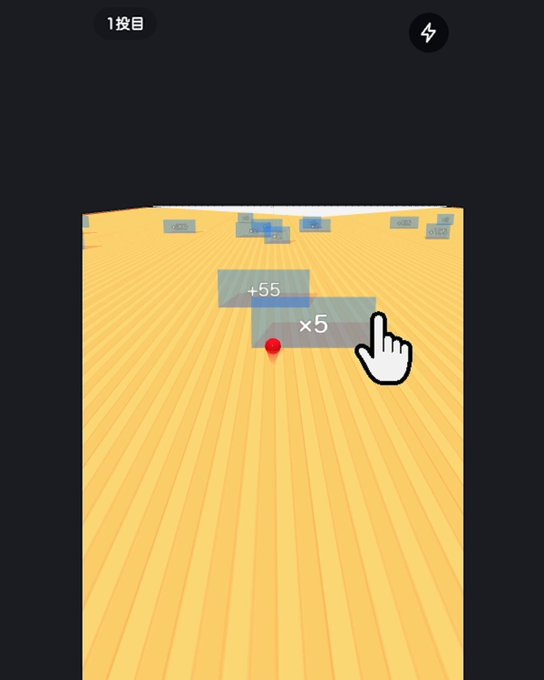
The core loop is simple: hold your phone upright and place a finger on the circle at the bottom of the screen. Tilt the phone forward and back in small, choppy motions to take one step at a time. The screen shows your distance to the daruma (starting at 30.0 meters) and a timer. When the daruma is watching, a 'stop' warning appears, and you must freeze completely. Moving while it watches ends the run, and so does lifting your finger off the circle.
The daruma periodically turns around, and you can only advance when it is not looking. The game gives clear visual cues: an eye icon indicates when it is watching, and a 'stop' message flashes when you need to halt. As you get closer, the tension ramps up with special effects at 5 meters remaining and just before the goal. Reaching the daruma records your time and personal best, and you can share your result or try again.
The rules are strict but fair. You cannot move while the daruma is watching, and you must keep your finger on the circle at all times. The game uses your phone's tilt sensor and WebGL, so you need a browser that supports both. Safari users may need to allow motion and orientation access. The game is designed for portrait mode on smartphones; PC is not supported, but you can scan a QR code to open it on your phone.
- Watch the watching indicator
The eye icon tells you when the daruma is looking. Always prioritize stopping when it appears.
- Keep tilts small and choppy
Big swings are harder to stop quickly. Small, controlled tilts let you freeze on command.
- Never lift your finger
The most common mistake is lifting your thumb off the circle. Keep it planted until the run ends.
- Practice mode first
Use the practice mode to get a feel for the sensor and your phone's response before attempting a full run.
Tips to Reach the Daruma and Set a Personal Best
The key to winning is anticipation. Watch the daruma's movements closely and start stopping before the 'stop' warning appears. Since the game uses tilt, you can begin decelerating by tilting back slightly as soon as you see the daruma begin to turn. This gives you a head start on freezing. Also, keep your tilts small and consistent; large motions are harder to control and more likely to trigger a fail.
Another tip is to use the practice mode to calibrate your phone's sensor. Every device responds slightly differently, so spend a minute walking back and forth to understand how much tilt equals one step. Once you are comfortable, try a real run. Near the end, the game adds extra build-up at 5 meters and just before the goal, which can make you nervous. Stay calm and do not rush; a steady approach is better than a fast one.
Finally, remember that the first turn-around hides a few gags, including fake ads and a fake camera, designed to catch you off guard. These are part of the fun, but they can also distract you. If you fail, the game shows humorous messages that soften the blow. Keep trying, and you will soon see your name on the personal best list.
- Anticipate the turn
Start stopping as soon as the daruma begins to turn, not when the warning appears.
- Calibrate in practice
Use practice mode to learn your phone's tilt sensitivity and find the right motion size.
- Stay calm near the end
The final 5 meters have extra effects. Do not let them rush you; slow and steady wins.
- Expect distractions
The first turn-around includes fake ads and a fake camera. They are meant to trick you, so stay focused.
How It Compares to Other Casual Browser Games
Daruma-san ga Koronda stands out from typical casual browser games because it uses physical movement instead of just tapping or swiping. Most browser games rely on touch or mouse input, but this one requires you to tilt your phone, making it a more embodied experience. It is similar to games that use device motion, like some racing or balance games, but the premise is unique and culturally specific. The tension of freezing at the right moment is reminiscent of party games like Red Light, Green Light, but here you are playing alone against the game.
Compared to other titles on the same site, such as DANMAKU NIGHT or Bakusoku Delivery, this game is more about precision and nerve than reflexes or speed. It is also very accessible: no download, no login, and it works on most smartphones. However, it does require a device with a tilt sensor and WebGL support, which may exclude some older phones. PC users cannot play directly; they need to scan a QR code to open it on a phone.
The game is best for players who enjoy short, tense challenges and do not mind a bit of physical interaction. It is not a deep strategy game, but its simple loop and humorous tone make it a fun distraction. If you like games that test your timing and composure, this one is worth trying. Just remember to check the official site for any updates or additional features.
- Physical vs. touch controls
Unlike most browser games, this one uses tilt, making it more immersive but also more demanding.
- Single-player tension
It captures the suspense of Red Light, Green Light in a solo format, with no multiplayer needed.
- Device requirements
You need a smartphone with a tilt sensor and WebGL. PC is not supported, but you can use a QR code.
- Similar games on yoku2
The developer's other games, like DANMAKU NIGHT, offer different styles of casual fun.
Step-by-Step Guide
Open the game on your smartphone
On your phone's browser, go to casual.yoku2.com. The game is free and requires no login. Make sure you are in portrait orientation and that your browser supports WebGL and motion sensors.
Allow motion access
When prompted, allow the browser to access motion and orientation data. On Safari, you may need to enable this in settings. This is essential for the tilt controls to work.
Place your finger on the circle
Hold your phone upright and place your thumb or finger on the circle at the bottom of the screen. Keep it there throughout the run; lifting it ends the game.
Tilt to walk and freeze when watched
Tilt the phone forward and back in small steps to move. When the daruma is watching, a stop warning appears—freeze immediately. Moving while it watches ends the run.
Reach the daruma and check your time
Continue until you cover the 30 meters. When you reach the daruma, your time and personal best are recorded. You can then share, retry, or review the rules.
Frequently Asked Questions
Can I play Daruma-san ga Koronda for free on my phone or PC?
Yes, it is free to play on smartphone browsers. Open casual.yoku2.com on your phone, allow motion access, and start. PC is not supported; if you open it on a computer, you will see a QR code to scan with your phone. No payment or login is required.
Do I need to install an app or create an account?
No. The game runs entirely in your browser. There is no app to install, no account to create, and no login. Just open the site on your phone and play. However, you do need a browser that supports WebGL and tilt sensors.
Who made this game and are there other games by the same developer?
The game was created by indie developer 個人開発マン_よく煮込む. They also run a small game site, yoku2, which hosts other titles like DANMAKU NIGHT, Bakusoku Delivery, and a pimple-popping simulator. You can find them on the official site.
What should I do if the tilt controls are not working?
First, ensure you have allowed motion and orientation access in your browser. On Safari, go to Settings > Safari > Motion & Orientation Access and enable it. Also, make sure you are holding the phone upright and keeping your finger on the circle. If it still does not work, try a different browser or device.
Are there any tips for beating the game?
Yes. Watch the daruma's watching indicator and start stopping before the warning appears. Use small, choppy tilts rather than big swings, and never lift your finger. Practice mode helps you calibrate your phone's sensor. Near the end, stay calm despite the extra effects. With practice, you can set a personal best.