Key Takeaways
- Beam is an open-weight LLM from Reflection AI with 501B total parameters and 23B active, released under the permissive Apache 2.0 license.
- The release includes BF16, FP8 and NVFP4 weights, a tokenizer, a reference implementation, a DFlash2 drafter and the Mirror CLI training harness.
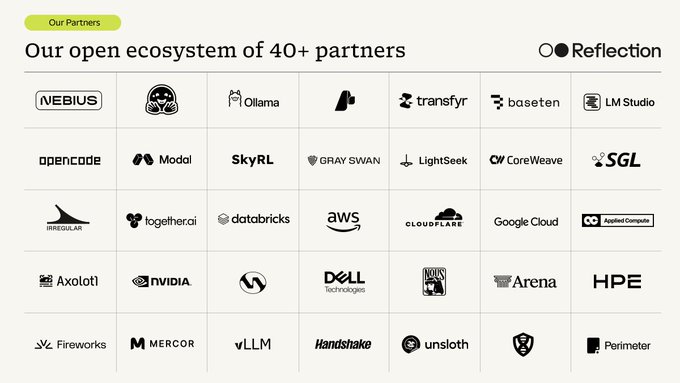
- You can download weights and instructions from the official repository on huggingface.co, and over 40 ecosystem partners have made the model available across platforms.
- Because the license is fully permissive, you can self-host, fine-tune and ship Beam commercially, but you should verify hardware requirements and exact terms on the official model card.
Quick Facts
| Type | Open-weight large language model |
|---|---|
| Devices | Servers and workstations that fit the weights |
| Price | Free weights under Apache 2.0; hosting costs vary |
| Languages | Check the official model card for supported languages |
| Highlight | Four weight formats plus DFlash2 drafter on day one |
| Learning curve | Moderate for inference, steeper for training |
| Category | AI & Models |
| Creator | Reflection |
| Official site | huggingface.co ↗ |
| Heat | 🔥 514.4K Heat |
| Last updated |
What Reflection AI's Beam Actually Is
Beam is a large language model released by Reflection AI under the Apache 2.0 license. It carries 501 billion total parameters with 23 billion active, a design that keeps inference cheaper than a dense model of the same total size while still offering substantial capacity. Reflection AI built it in collaboration with an ecosystem of more than 40 partners, and the company made the announcement on October 16, 2026.
What makes the release notable is its completeness. Rather than shipping a single checkpoint and leaving the rest to the community, Reflection AI published weights, a tokenizer and a reference implementation together, along with several quantization formats and a training harness. That combination is why Beam is drawing attention from developers who want a capable open model they can inspect, adapt and deploy without negotiating a license.
The Apache 2.0 license matters here. It is a permissive open-source license that allows commercial use, modification and redistribution, so teams can build products on top of Beam without the usage restrictions that often accompany open-weight releases. If licensing terms are critical to your project, read the model card carefully, because the exact obligations are defined there rather than in summaries like this one.
- 501B total, 23B active
The model activates a fraction of its parameters per token, which lowers compute per request compared with a dense model of similar total size. Confirm the exact architecture details on the official model card.
- Apache 2.0, not a custom license
A standard permissive license removes much of the legal ambiguity around commercial deployment. You can self-host and modify the model, but you remain responsible for how you use its outputs.
- Built with 40+ partners
Reflection AI says more than 40 ecosystem partners made Beam available across platforms at launch. That breadth means you may find hosted options even if you cannot run the weights yourself.
Weight Formats, the DFlash2 Drafter and Mirror CLI
Beam ships in four quantization formats: BF16, FP8 and NVFP4 weights, plus the tokenizer and reference implementation. BF16 is the highest-precision option and demands the most memory. FP8 and NVFP4 trade a small amount of numerical precision for substantially lower memory use, which is usually the difference between fitting on your hardware and not fitting at all.
The DFlash2 drafter is a separate component that supports speculative decoding. In speculative decoding, a small, fast model proposes several tokens ahead and the larger model verifies them in one pass, so you get the same output distribution with fewer expensive forward passes. Pairing the DFlash2 drafter with Beam is the intended way to speed up inference, especially on hardware where memory bandwidth is the bottleneck.
Training workflows run through Mirror CLI, the open-source harness Reflection AI built and trained Beam on. Because the harness is published alongside the weights, teams that want to fine-tune or continue training the model can start from the same tooling the original developers used instead of reconstructing a pipeline from scratch. Expect a real learning curve if you go down this path.
- Pick the format that fits your memory
Start with FP8 or NVFP4 if you are memory-constrained, and move to BF16 only when you have headroom and need maximum fidelity. Check the model card for recommended hardware.
- Use the drafter for latency, not quality
The DFlash2 drafter accelerates decoding without changing what the model produces in expectation. It is a throughput tool, not a quality upgrade.
- Mirror CLI is for training, not just inference
The harness covers the training side of the workflow, which is unusual for an open release. It is the right entry point if you plan to fine-tune rather than just serve the model.
- Weights, tokenizer and reference implementation together
Having all three in one release reduces integration guesswork. You still need your own serving stack, evaluation and safety layer.
How to Download and Run Beam Step by Step
The practical path starts on huggingface.co, where the official repository holds the weights, tokenizer, reference implementation and instructions. Because Beam has 501 billion total parameters, plan your hardware before you start downloading. A 23B active parameter count reduces compute per token, but the weights still have to be stored, so memory capacity is the first constraint you will hit.
Once you have the files, choose your precision. FP8 or NVFP4 will get you running on more modest setups, while BF16 is the reference-quality option for teams with larger machines. Then wire in the DFlash2 drafter to improve decoding speed, and use the reference implementation to confirm your setup produces sensible output before you invest in optimization.
If self-hosting is not realistic, remember that more than 40 partners made Beam available across platforms. Hosted access through a partner is often the fastest way to evaluate whether the model suits your task, and you can always move to self-hosting later. Verify current availability, limits and pricing with each provider, since those details are set by the partner rather than by Reflection AI.
- Check the model card first
The official repository on huggingface.co is the authoritative source for architecture details, supported formats and any usage notes. Read it before downloading anything.
- Size your hardware before you commit
Estimate memory for your chosen quantization and leave headroom for the key-value cache and the drafter. Running out of memory mid-deployment is an avoidable problem.
- Benchmark with your own prompts
Generic benchmarks tell you less than a small evaluation set drawn from your actual use case. Compare BF16 against FP8 or NVFP4 on that set before deciding.
How Beam Compares and Where It Falls Short
Beam enters a crowded field of open-weight language models, and its differentiator is packaging rather than a single headline number. Shipping four quantization formats, a speculative-decoding drafter and the training harness on day one under Apache 2.0 is unusually generous. Teams that previously spent weeks converting weights and building tooling can start closer to the finish line, which shortens the path from download to production.
The trade-offs are real. A 501B total parameter model is not something you run on a laptop, and even with 23B active parameters the memory footprint of the full weights is substantial. Quantized formats help, but they can cost some accuracy, and the right balance depends on your task. Anyone promising that a model of this size runs comfortably on consumer hardware is oversimplifying.
Beam is best suited to teams with access to server-class hardware, a reason to self-host, and the engineering capacity to evaluate and fine-tune. If you mainly need a hosted API, a partner platform is the simpler route. If you need full control over weights, licensing and data flow, Beam is a strong candidate. Check the official model card for the specifics that matter to your deployment.
- Permissive licensing is the headline
Apache 2.0 removes many of the restrictions found in custom open-weight licenses. That alone can decide the choice for commercial teams.
- Day-one tooling beats day-one benchmarks
The drafter, quantized weights and Mirror CLI save real engineering time. Compare total integration effort, not just raw capability.
- Hardware is the gating factor
This is a server-class model. If you cannot host it, evaluate it through one of the partner platforms before assuming it is out of reach.
- Verify what the notes do not cover
Benchmarks, context length, supported languages and exact partner terms are not settled here. Confirm them on the official model card and partner pages.
Step-by-Step Guide
Read the official model card
Go to the official repository on huggingface.co and read the model card, license terms and instructions end to end. This is where architecture details, supported formats and any usage restrictions are stated authoritatively. Do this before downloading, because it determines everything that follows.
Choose your weight format
Decide between BF16, FP8 and NVFP4 based on your available memory and accuracy needs. FP8 and NVFP4 reduce memory use and are the practical starting point for most setups, while BF16 is the reference-quality option. Check the model card for recommended configurations.
Download weights, tokenizer and reference implementation
Pull the weights, tokenizer and reference implementation from the official repository. The reference implementation lets you validate that your environment works before you optimize anything. Confirm file sizes and storage requirements as you plan the download.
Add the DFlash2 drafter for speed
Integrate the DFlash2 drafter to enable speculative decoding, which speeds up generation by letting a small model propose tokens for the main model to verify. This improves throughput without changing expected output quality. Test latency before and after so you can measure the gain on your hardware.
Evaluate, then fine-tune with Mirror CLI if needed
Run your own prompts through the model and compare formats on quality and speed. If you need domain adaptation, use Mirror CLI, the open-source harness Reflection AI trained Beam on. Keep a held-out evaluation set so you can tell whether fine-tuning actually helped.
Frequently Asked Questions
What is the Beam open model from Reflection AI?
Beam is an open-weight large language model released by Reflection AI under the Apache 2.0 license. It has 501 billion total parameters with 23 billion active, and it was built with more than 40 ecosystem partners. The release includes weights, a tokenizer, a reference implementation, a DFlash2 drafter and the Mirror CLI training harness.
How much does Beam cost to use?
The weights themselves are released free of charge under the Apache 2.0 license, so there is no license fee to download and use them. Your real costs come from hardware, hosting and engineering time. If you use a partner platform instead of self-hosting, that provider sets its own pricing, so check their terms directly.
What hardware do I need to run Beam?
Beam is a server-class model with 501 billion total parameters, so you need substantial memory to hold the weights even though only 23 billion parameters are active per token. The FP8 and NVFP4 formats reduce memory requirements compared with BF16. Exact recommendations are not fixed here, so consult the official model card before planning a deployment.
What is the DFlash2 drafter and why does it matter?
The DFlash2 drafter supports speculative decoding, a technique where a small fast model proposes several tokens and the main model verifies them in a single pass. The result is faster generation without changing the expected output. It is a throughput optimization, so use it when latency or cost per token matters, not as a quality upgrade.
Can I use Beam commercially and fine-tune it?
The Apache 2.0 license is permissive and generally allows commercial use, modification and redistribution, which is a major reason Beam stands out among open-weight releases. Reflection AI also published Mirror CLI, the harness it trained Beam on, so fine-tuning is an intended workflow. Read the official model card for the precise terms and obligations.